
Board2Focus
A productivity app designed and developed for iOS.
UI/UX Design · Branding · iOS Development · SwiftUI
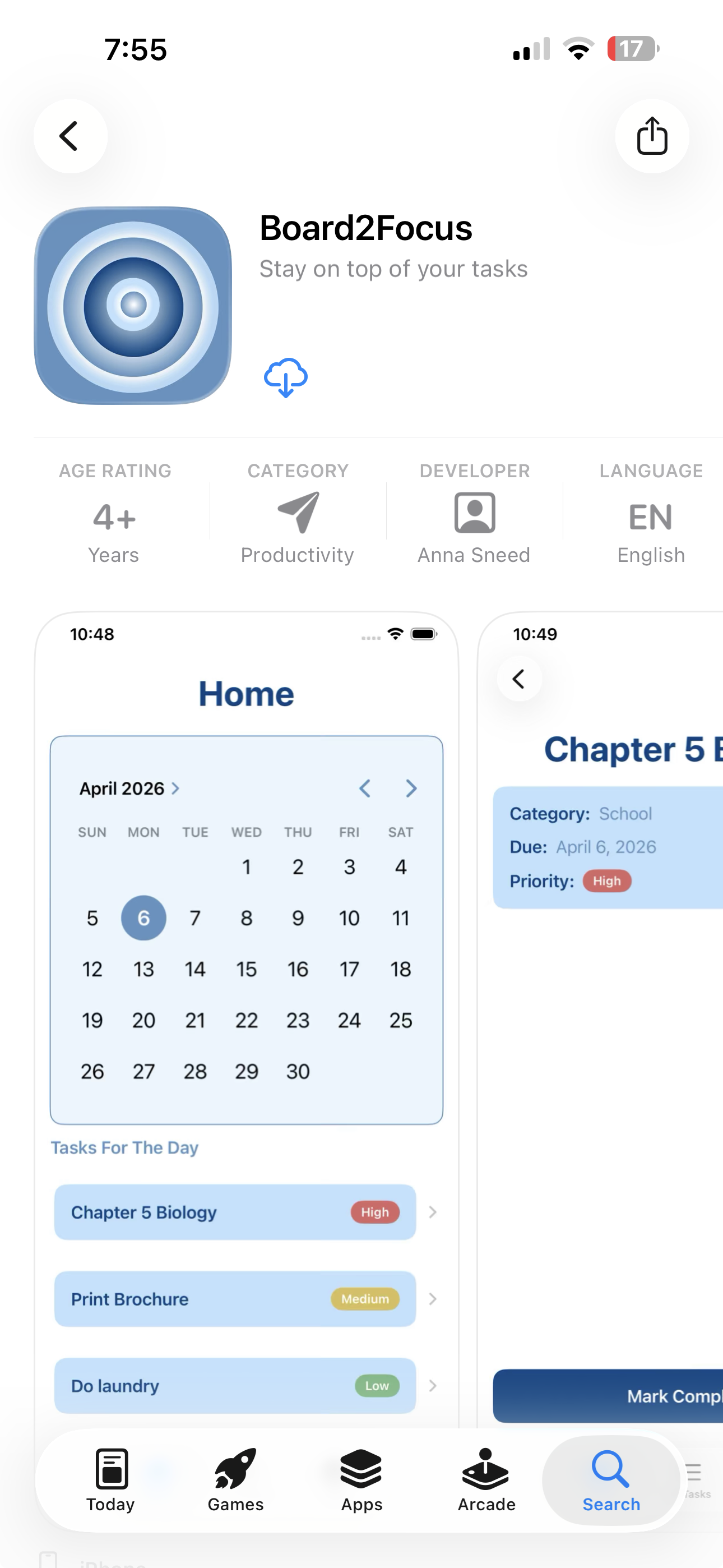
Board2Focus is a task-management app I designed, developed, and launched on the App Store. I created the product from the ground up, from its visual identity and user experience to the development of the final iOS application.
The goal was to create a simple way for students to organize assignments, deadlines, and everyday responsibilities without the clutter of an overly complicated productivity app.
ROLE
Product Designer & iOS Developer
TOOLS
Figma · Xcode · Swift · SwiftUI
STATUS
Live on the App Store
VIEW ON THE APP STORE → https://apps.apple.com/us/app/board2focus/id6761698192
01: The Problem
After beginning my interview process for my topic idea, it was clear that there was an issue with keeping tasks organized, and there were some issues in how students managed their time and assignments.
For the users I interviewed, staying organized quickly became overwhelming when assignments, deadlines, and personal tasks are spread across different places.
I wanted Board2Focus to answer three questions as quickly as possible:
What do I need to do?
When is it due?
What should I focus on first?
This became the foundation for my simple, task-focused experience built around organization and visual prioritization.
02: Building the Brand
After asking many interviewees what they look for in a task tracking app, many of them said something that is simple, easy to use, and doesn’t yell color in my face. I created the Board2Focus identity alongside the product itself, designing the logo, color palette, typography, and overall visual direction in order to best fit my users’ needs when it came to my feedback.
I wanted the brand to feel simple, approachable, and focused, which carried into the design of the app interface.
03: Designing the Experience
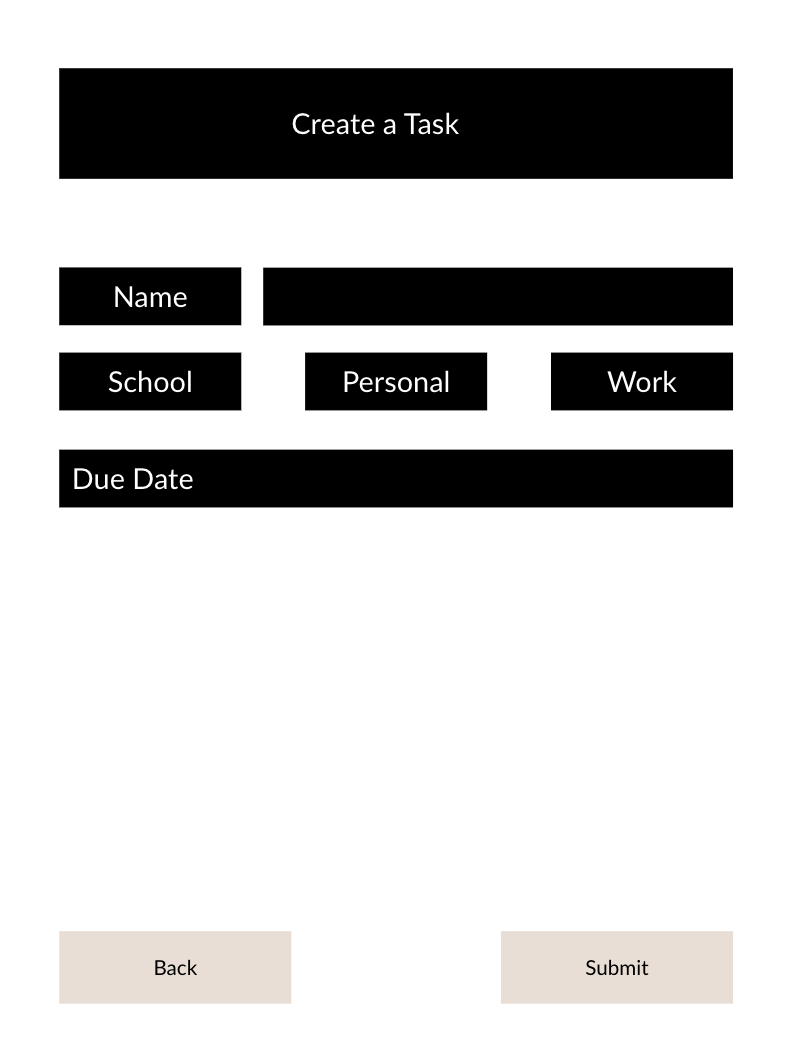
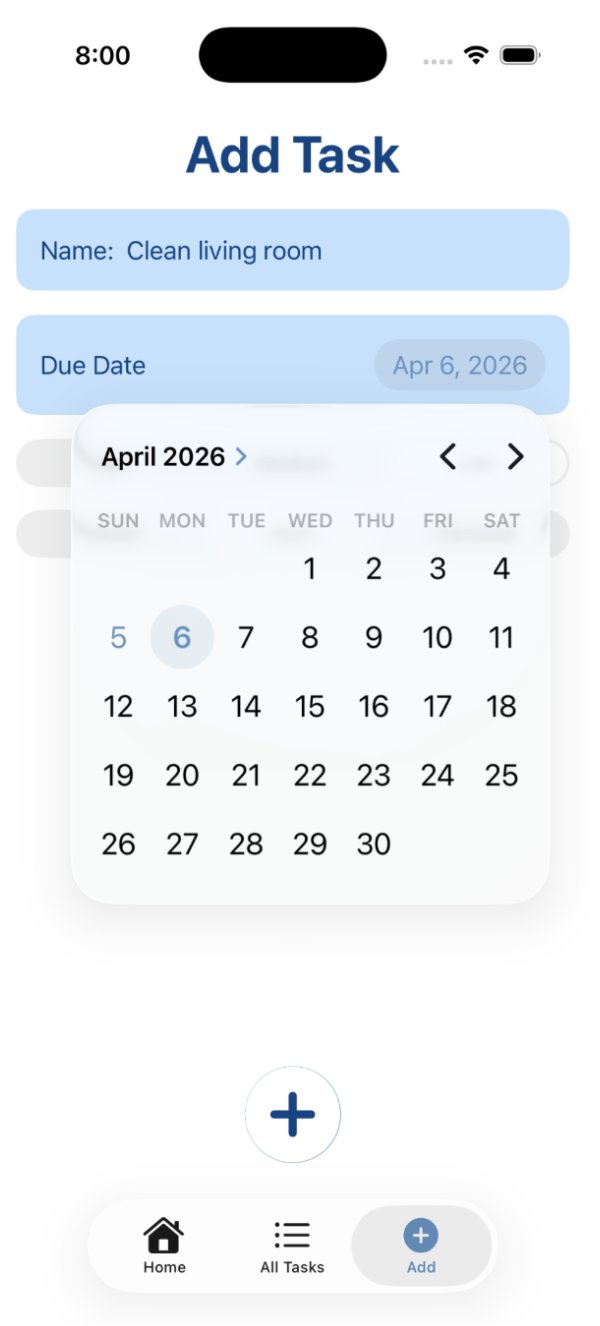
I designed the interface around making tasks easy to create, organize, and understand at a glance.
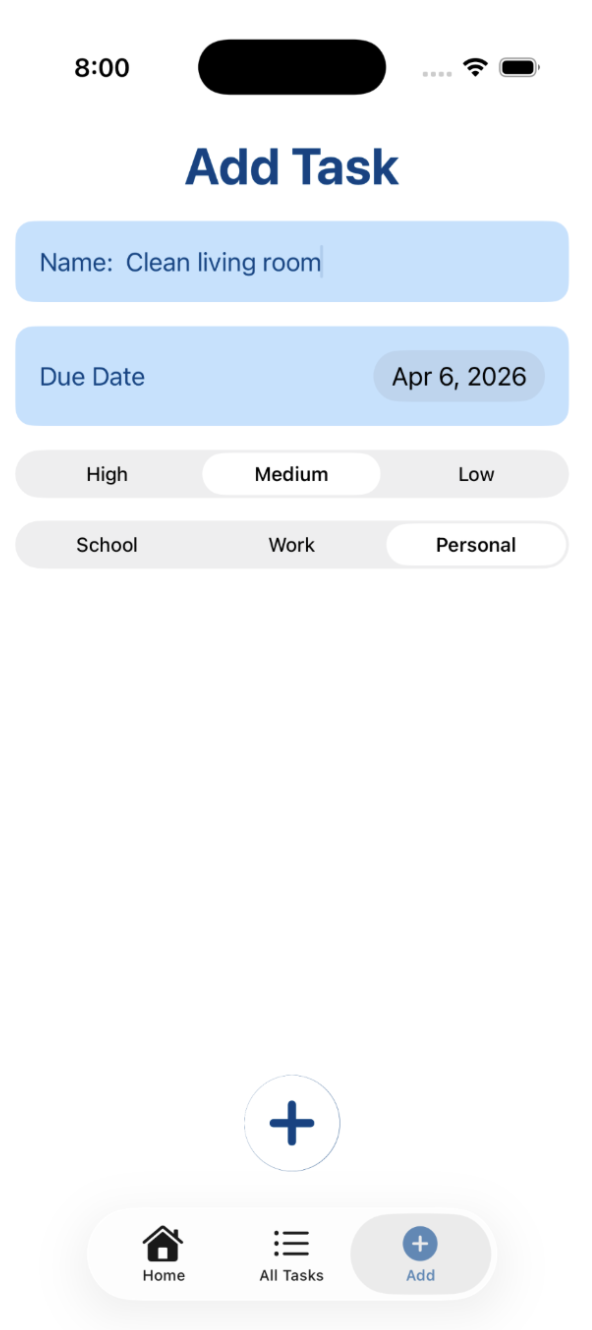
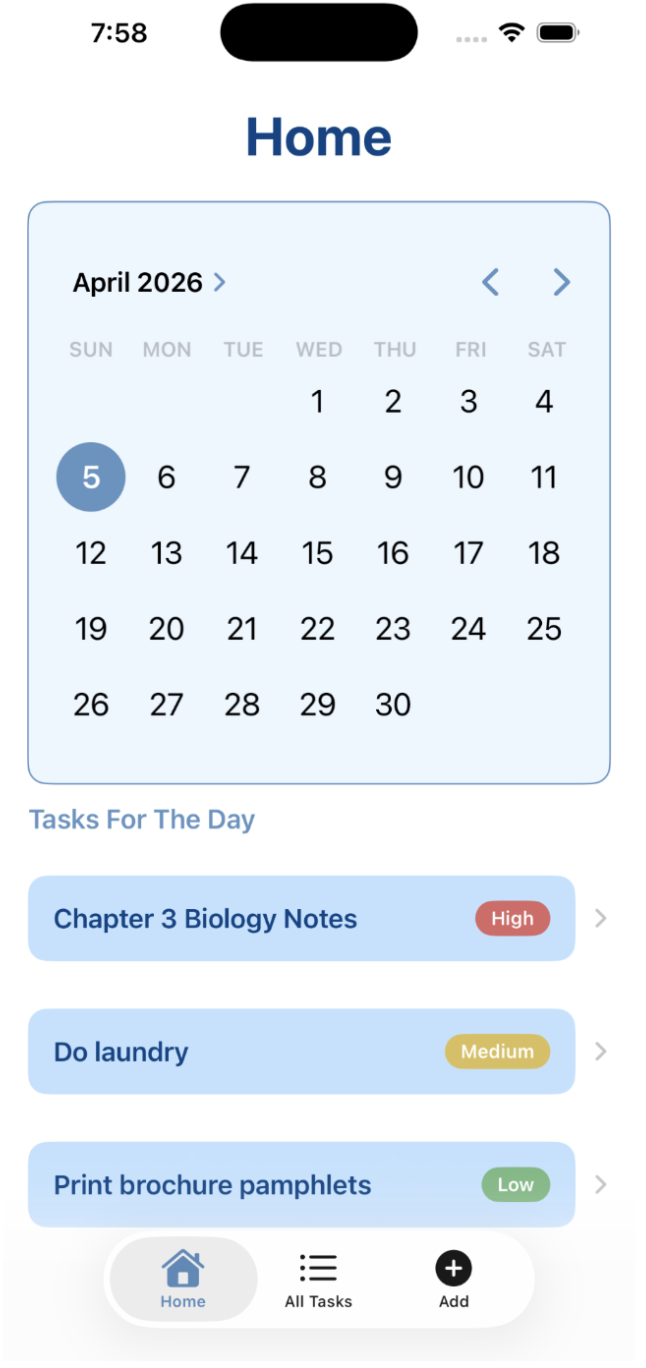
Users can add tasks with a due date, priority level, and category, while the calendar makes it easier to see what is due on a specific day. Tasks are also visually distinguished by priority, helping users quickly identify what needs their attention first.
Core User Flow
View Tasks → Add Task → Set Details & Priority → Save → Complete Task
04: Visual Prioritization
One of my main goals was to avoid creating another overwhelming productivity app.
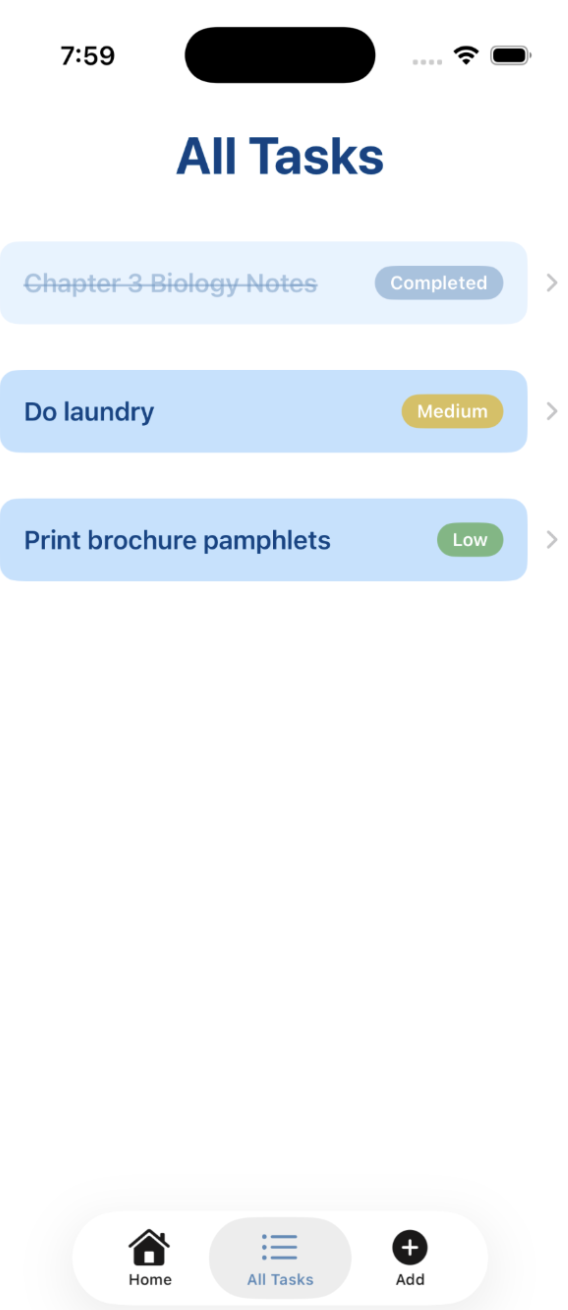
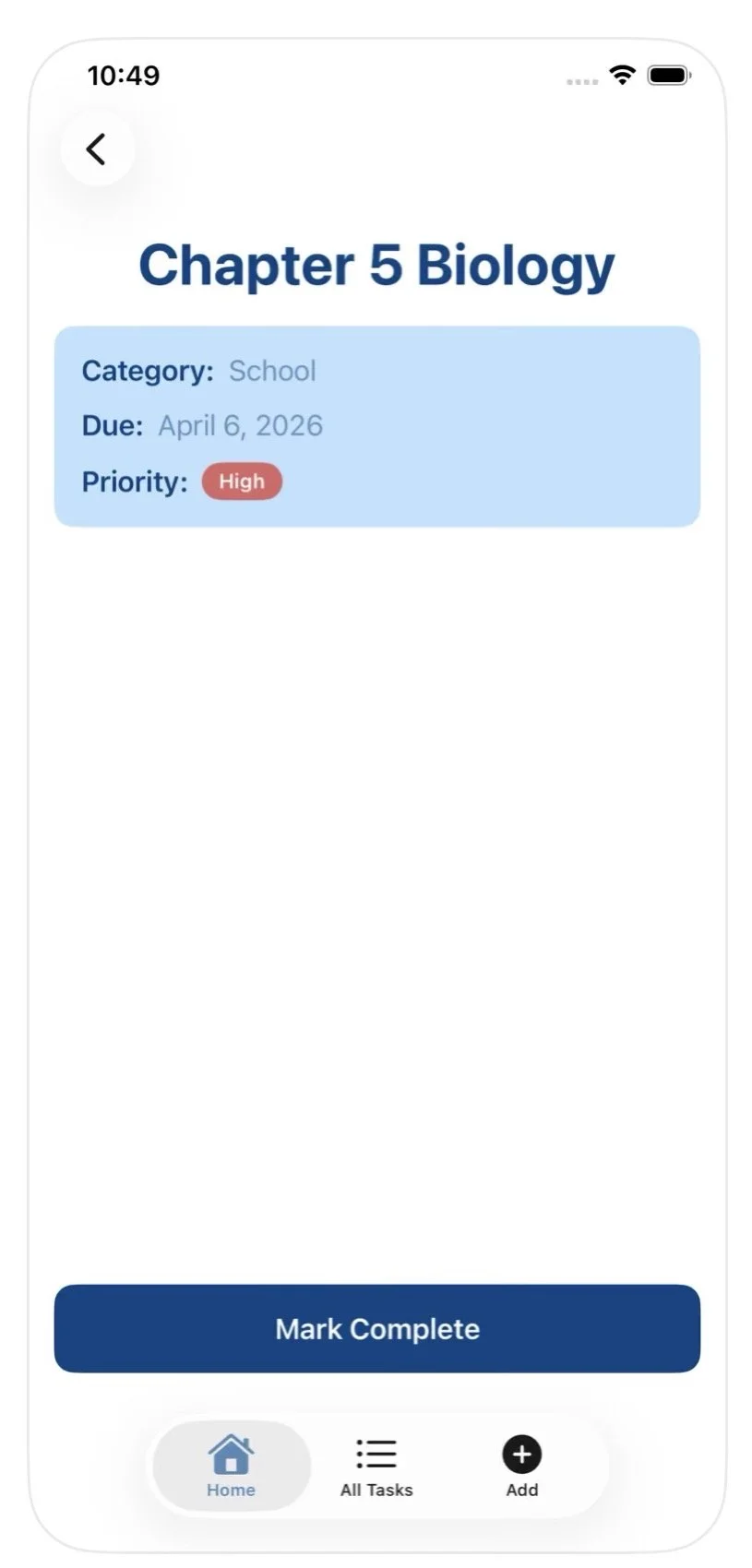
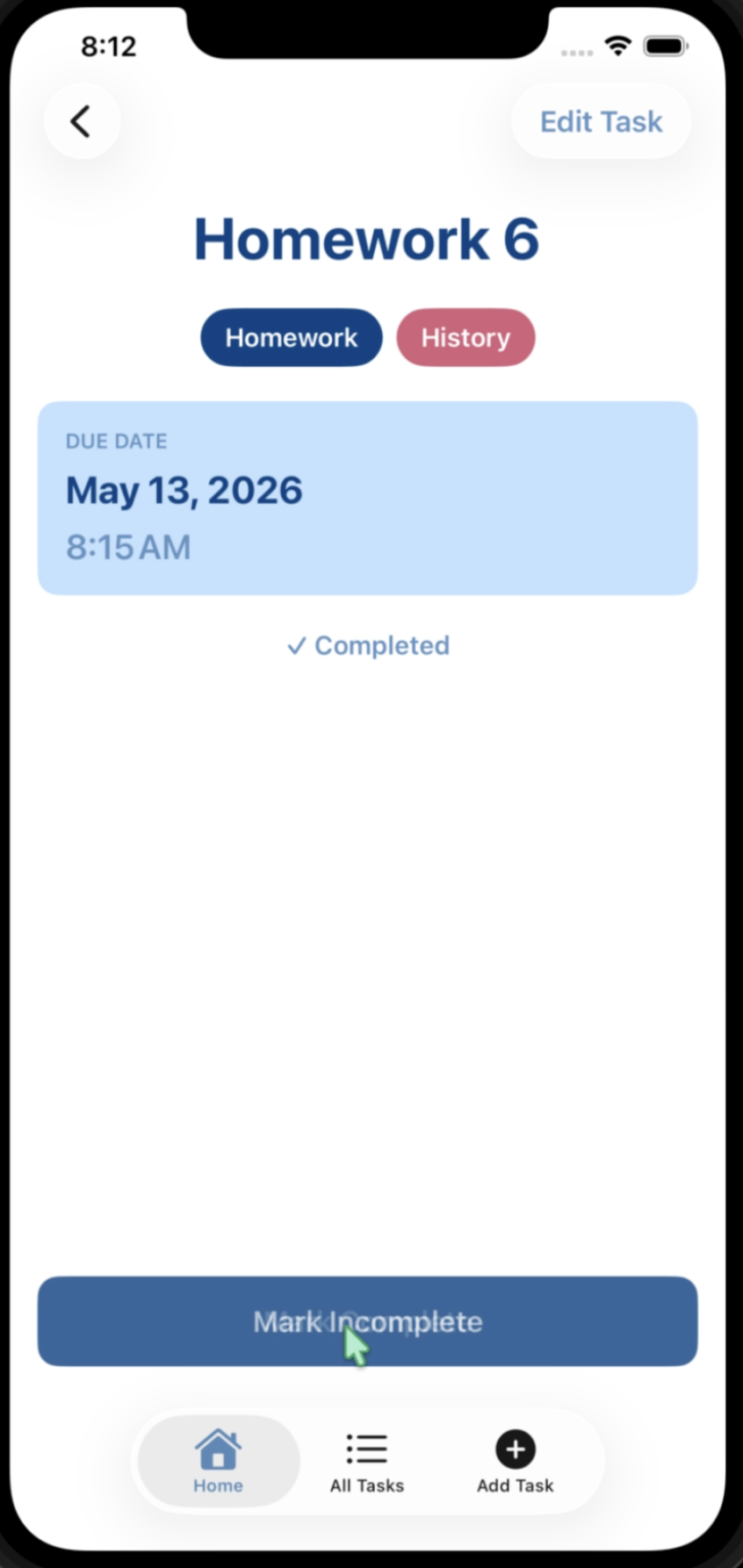
In the main task card, you are able to see three key details: the task itself, and a button to complete the task that syncs with the main page.
Priority levels help important tasks stand out, while completed tasks become visually muted instead of immediately disappearing. This overall gives users a clear view of what still needs to be completed while allowing them to see their progress.
I kept this page very simple for my first iteration because I wanted my second version to really tie in what the user thought would work better or wish they had in the app.
05: From Design to Development
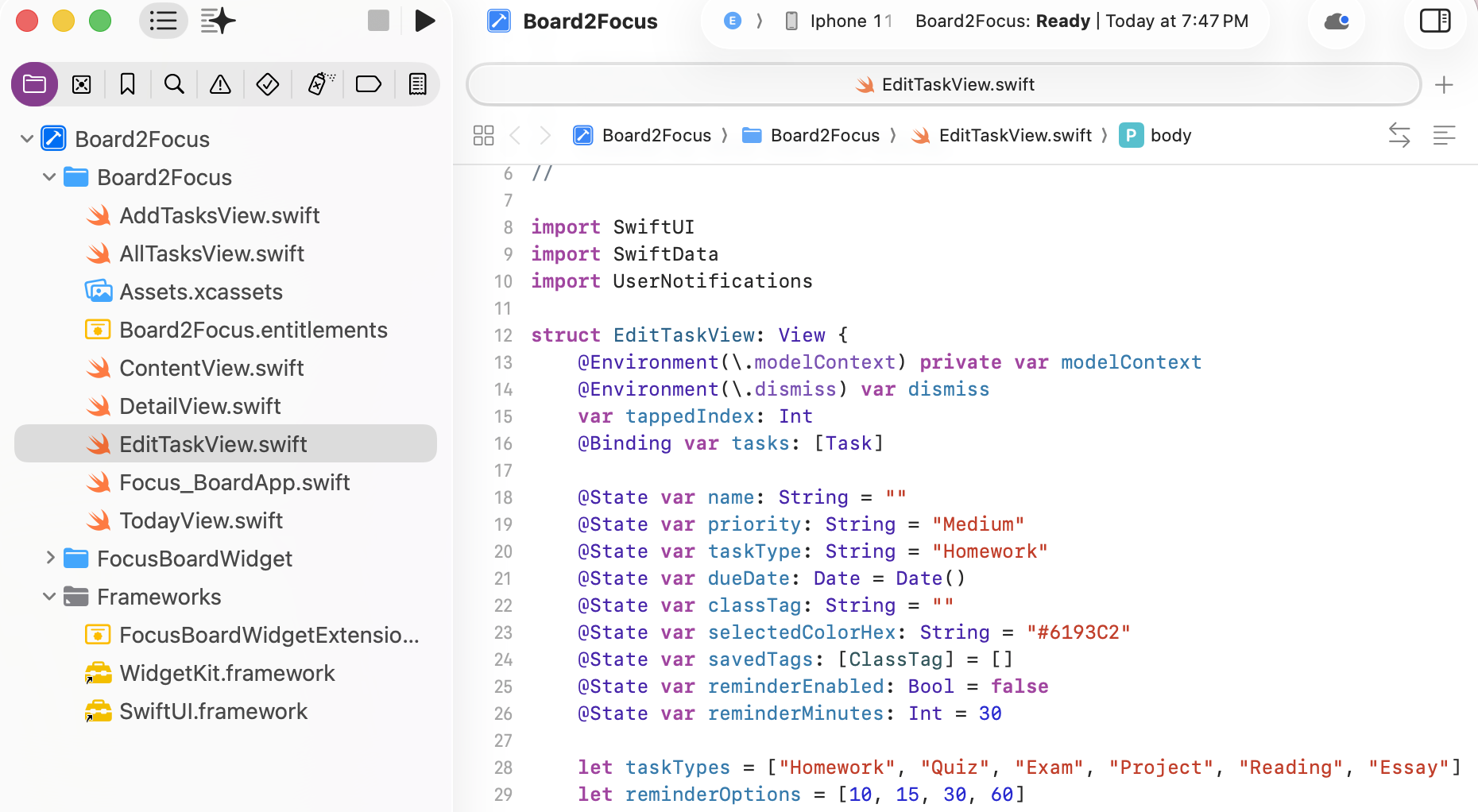
Rather than stopping at a prototype, I translated my designs into a working iOS application using Swift and SwiftUI in Xcode.
Developing the app myself allowed me to work through both sides of the product process: thinking about how an interaction should look and feel while also determining how it would function in the final application.
Board2Focus was published to the iOS App Store, turning the project from an initial concept into my first real downloadable product for users to test.
07: Looking Ahead: Exploring Board2Focus 2.0
After launching the original app, I explored ways the experience could be expanded in a future version.
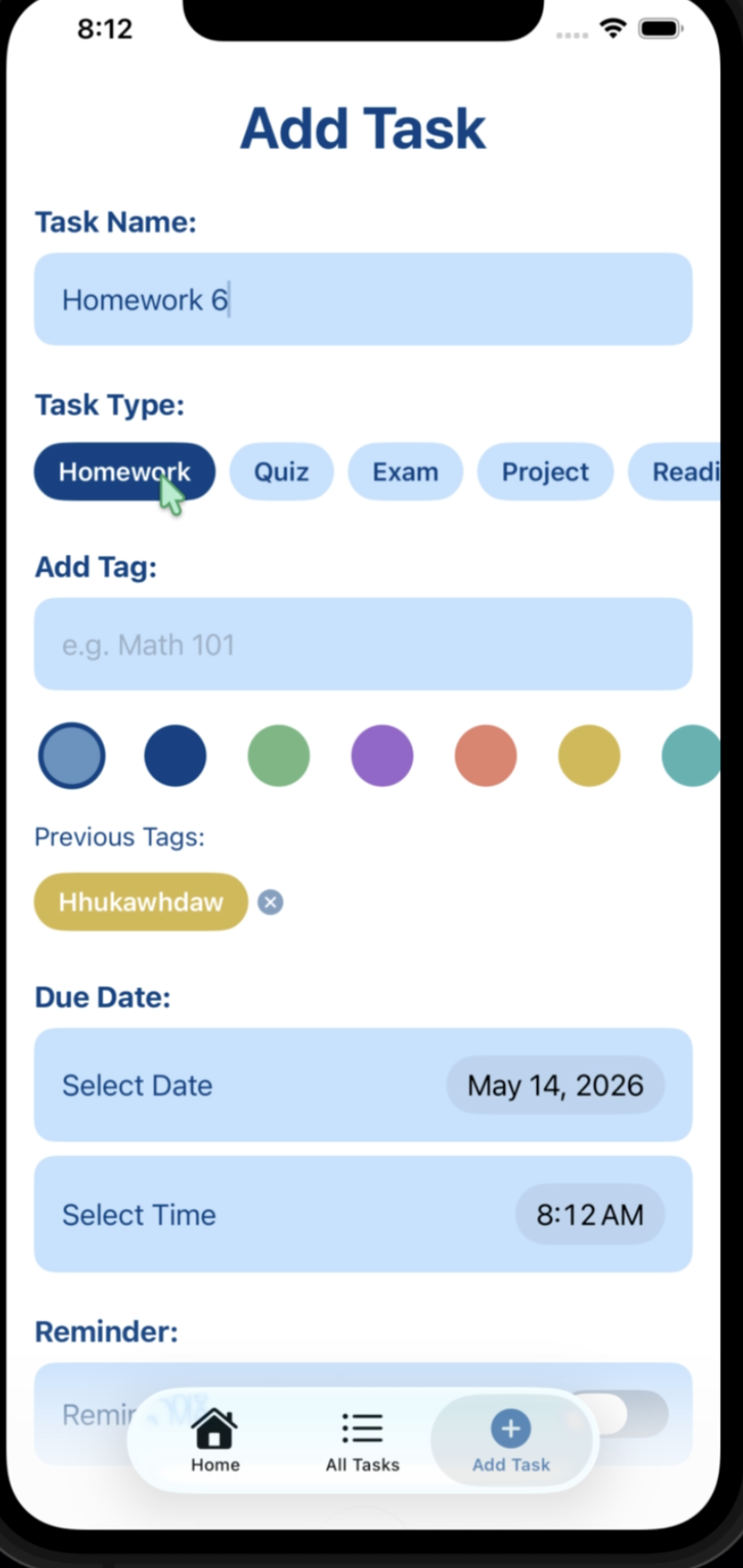
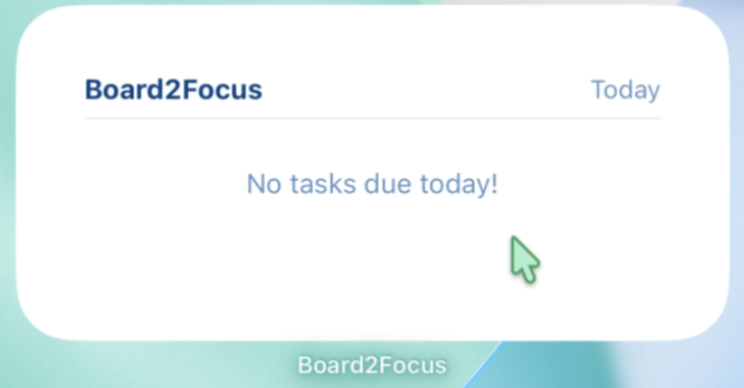
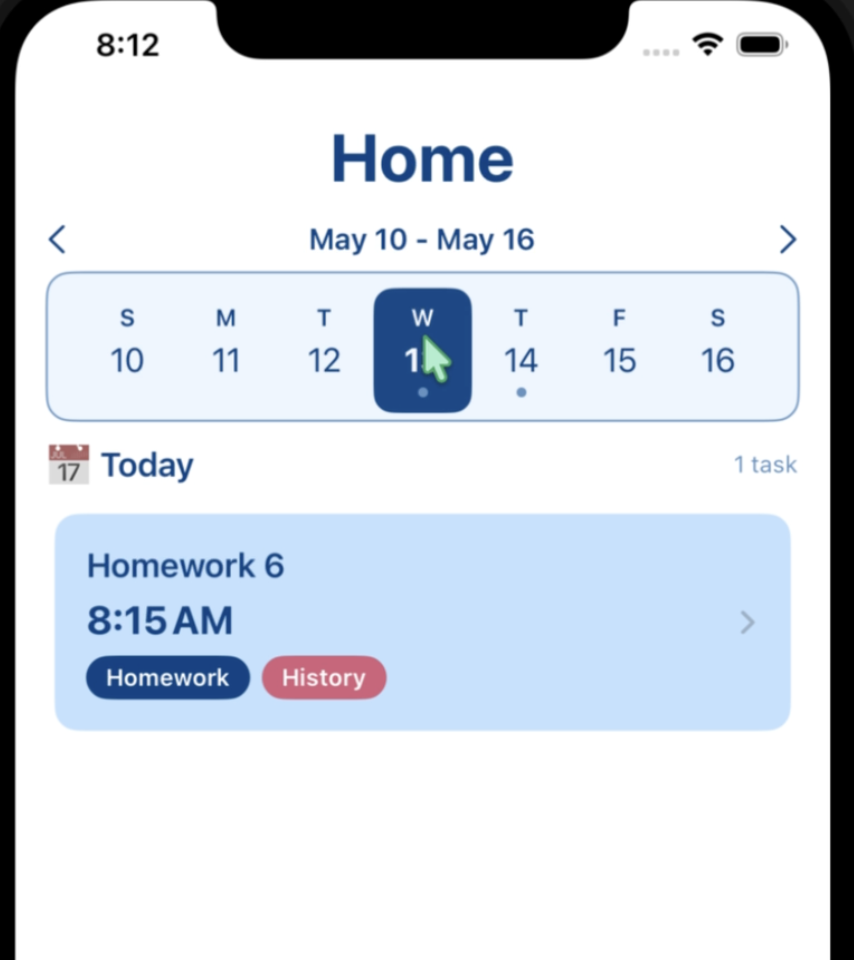
My concepts included home screen widgets, smart and custom reminders, task-type tags, color-coded class tags, a week-view calendar, and overdue indicators.
I also explored improvements to the existing interface, including clearer information hierarchy, a reorganized Add Task experience, and a simplified task detail view.
Keep in mind these concepts have not been released and represent future directions for the product.
08: What I Learned
Board2Focus gave me the biggest opportunity to take a product from idea to design to development to launch.
Working across both design and development helped me better understand how visual decisions translate into functional products. It also taught me to think beyond individual screens and consider the entire experience, from branding and information hierarchy to interactions and implementation.
Most importantly, I would say the project showed me how a digital product can continue evolving even after it has been released and how much goes into every step.
I started with a blank canvas and ended up with a real, live app, and it is something I am more than proud of to have out in the world!